Radiology Software (en)
Designing a Radiology Viewer to Support Faster Diagnostic Workflows
00
About project
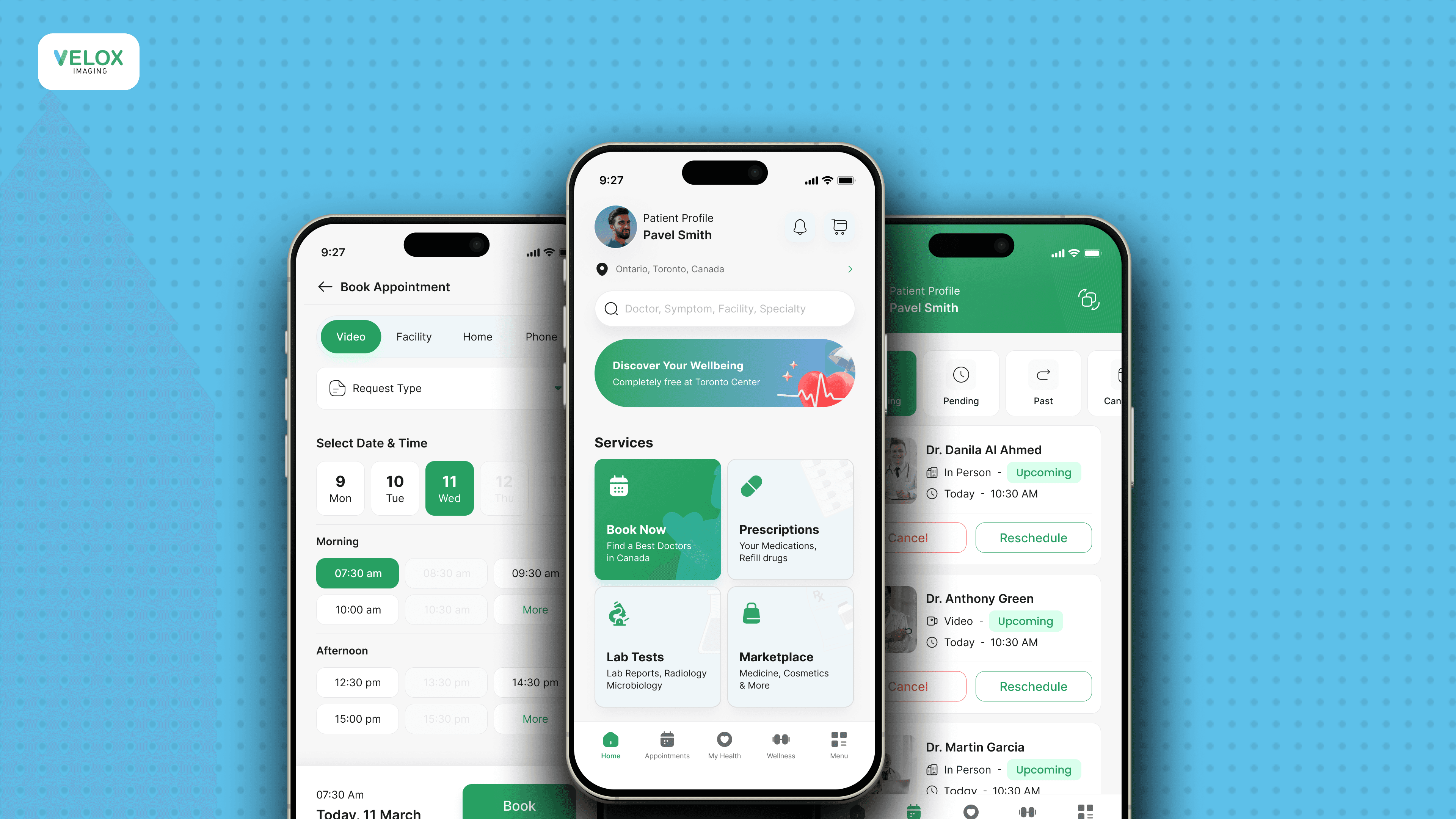
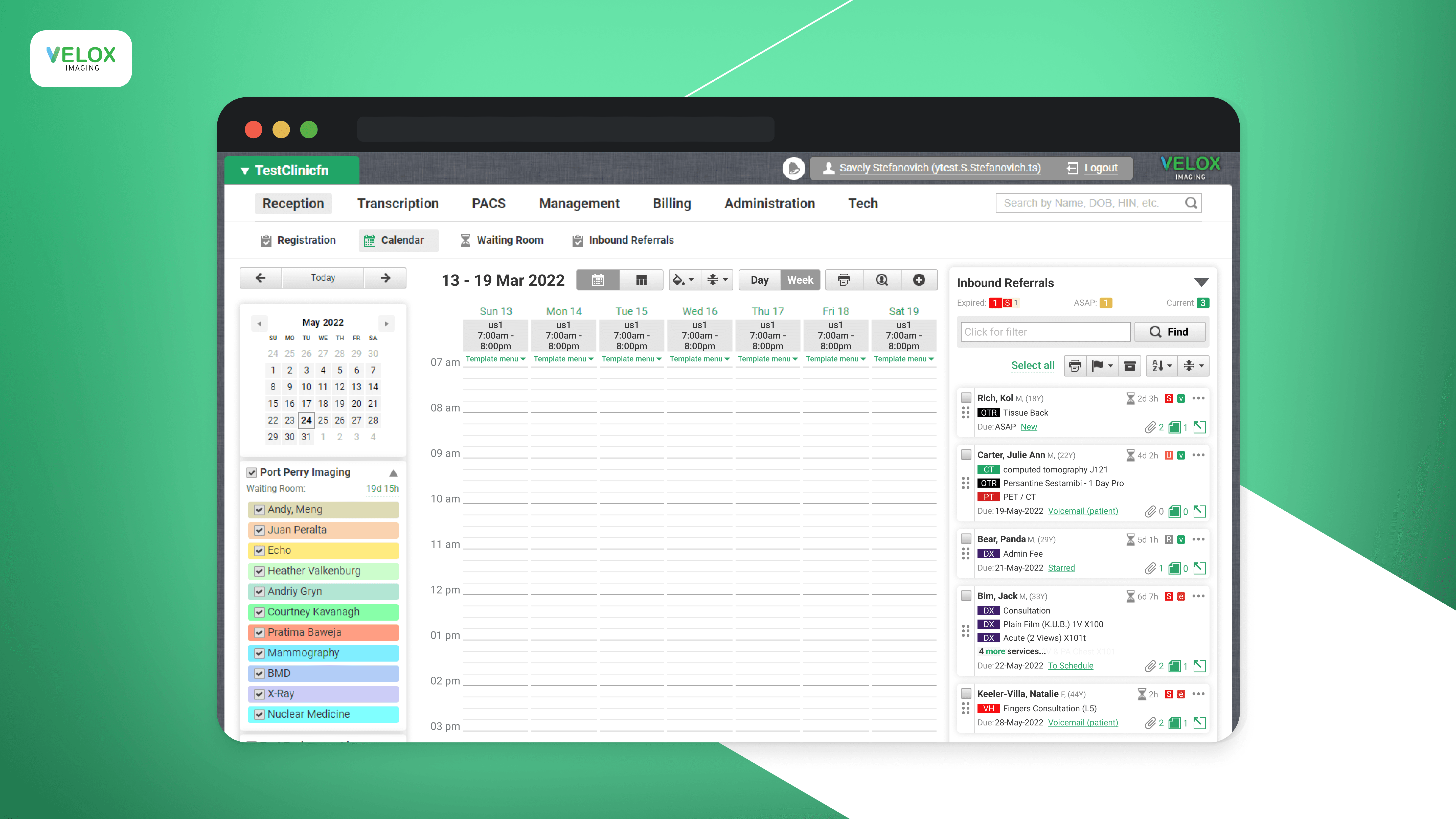
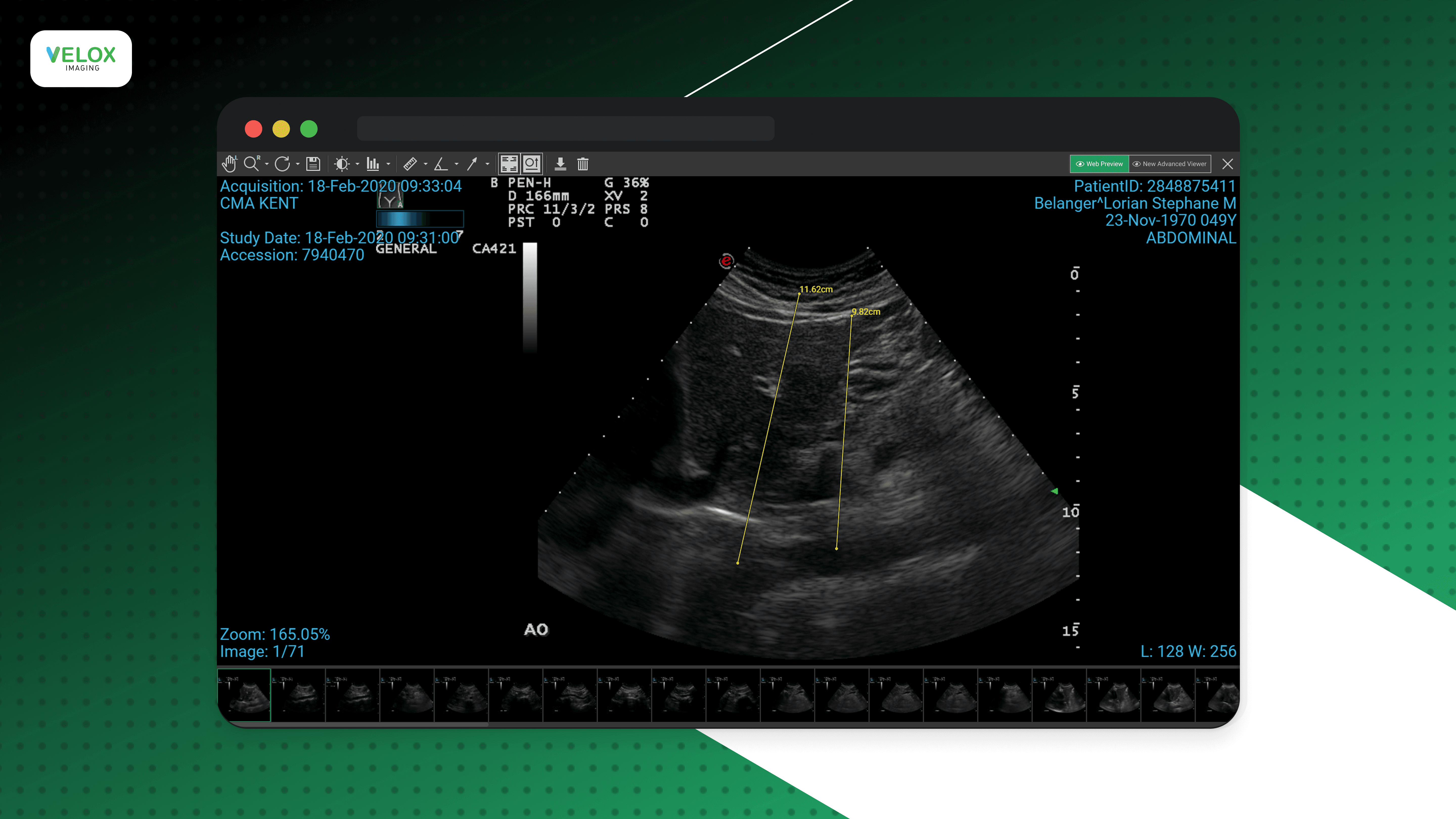
Velox Imaging is a Canadian healthcare technology company developing radiology software for hospitals and diagnostic clinics across Canada. The platform supports essential medical imaging workflows, enabling clinicians to view, analyze, and manage X-ray and DICOM studies within a unified PACS ecosystem. As a UI/UX Designer, I worked on the desktop Radiology Viewer, designing tools that help radiologists efficiently review imaging exams and perform diagnostic tasks. My role focused on creating intuitive interfaces for complex clinical workflows, improving the usability of advanced viewing features, and ensuring a fast and reliable experience for daily radiology practice.
Feature: Lightweight Web Radiology Viewer
Problem:
The original Radiology Viewer required doctors to download and install a full desktop application in order to review X-ray and DICOM studies. This created friction for physicians who needed quick access from different devices or locations, especially during busy clinical workflows.
As a result, reviewing images was less flexible, and the portal experience was disconnected from the diagnostic viewing process.
Feature Goal:
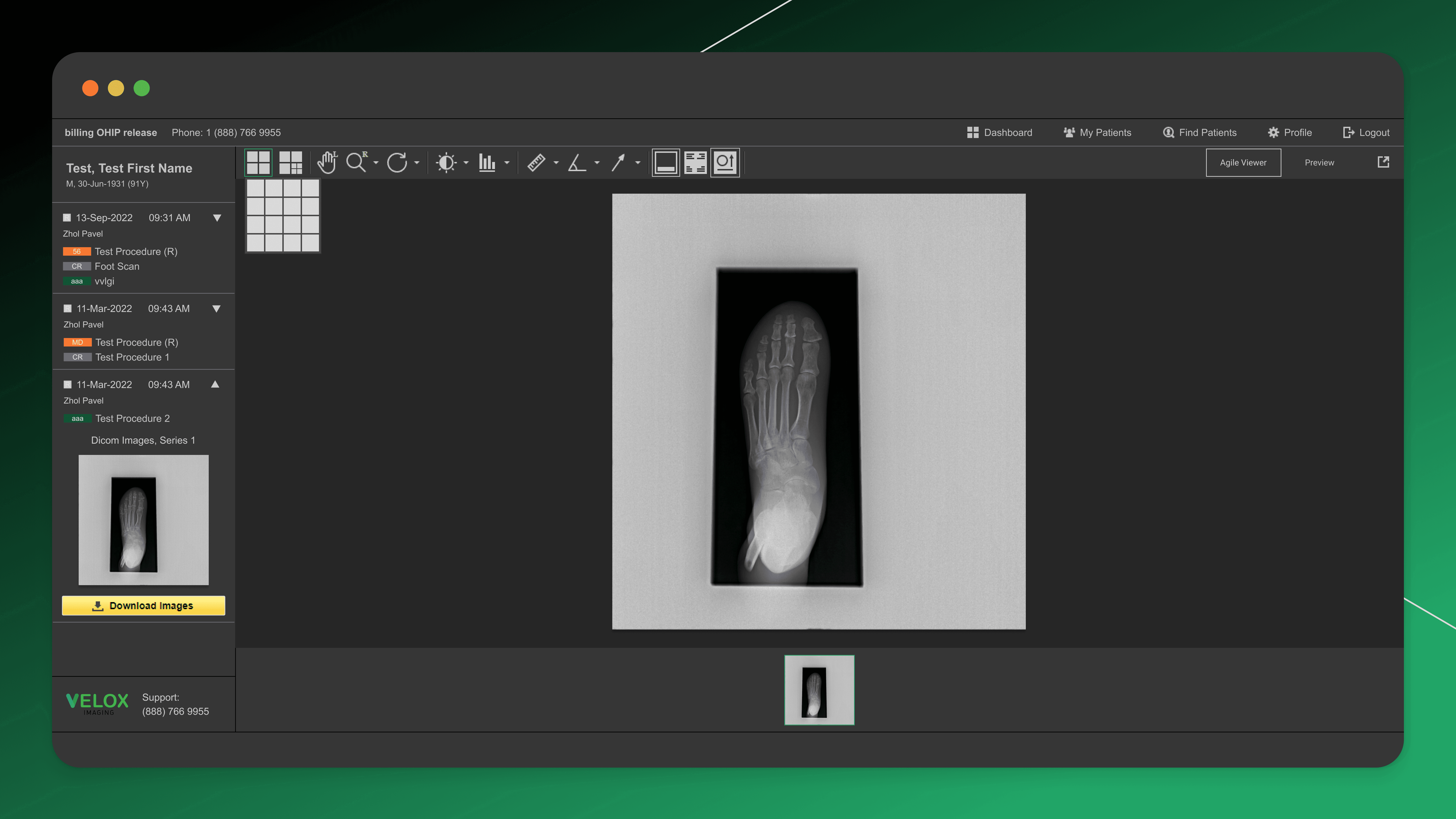
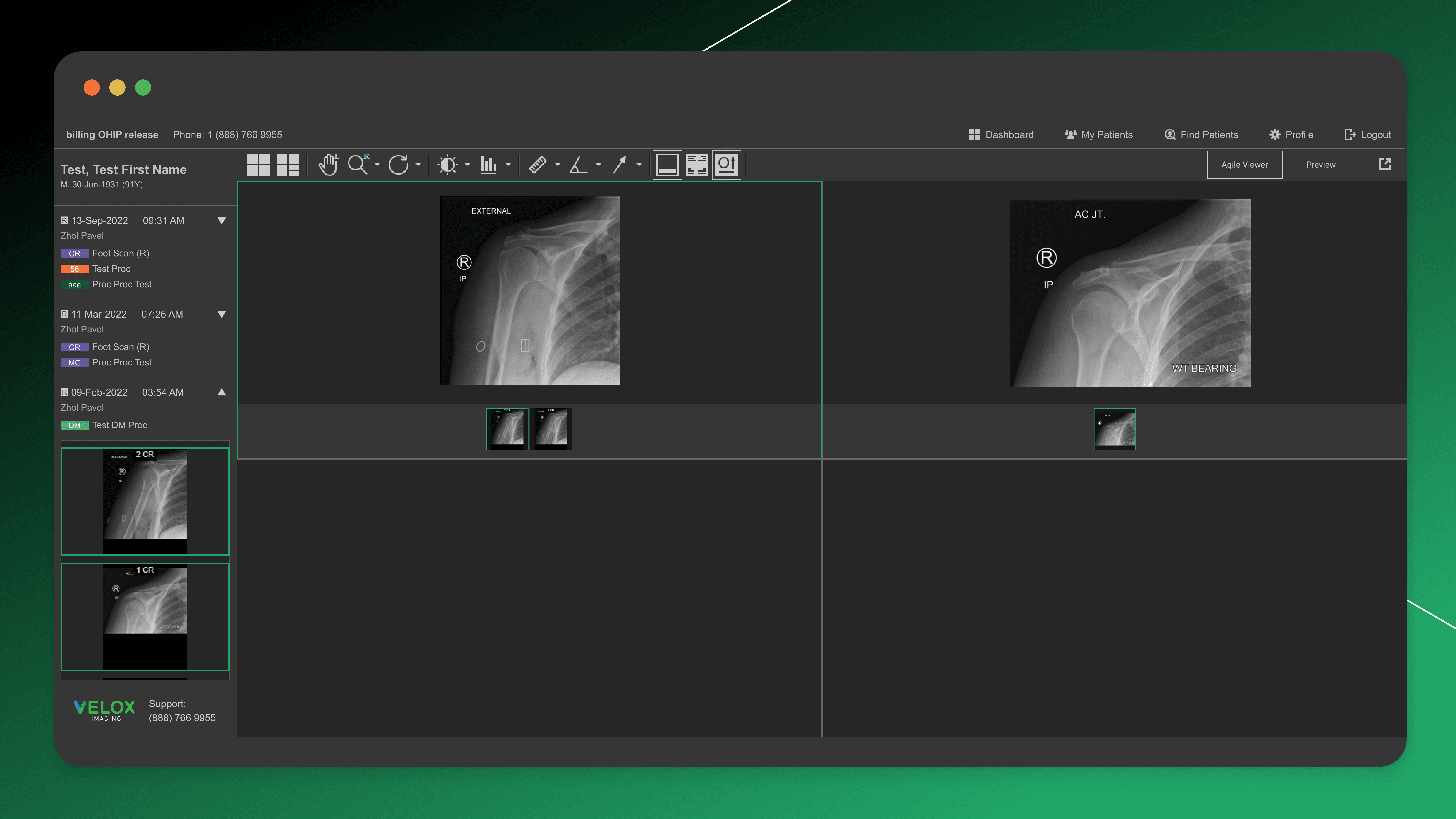
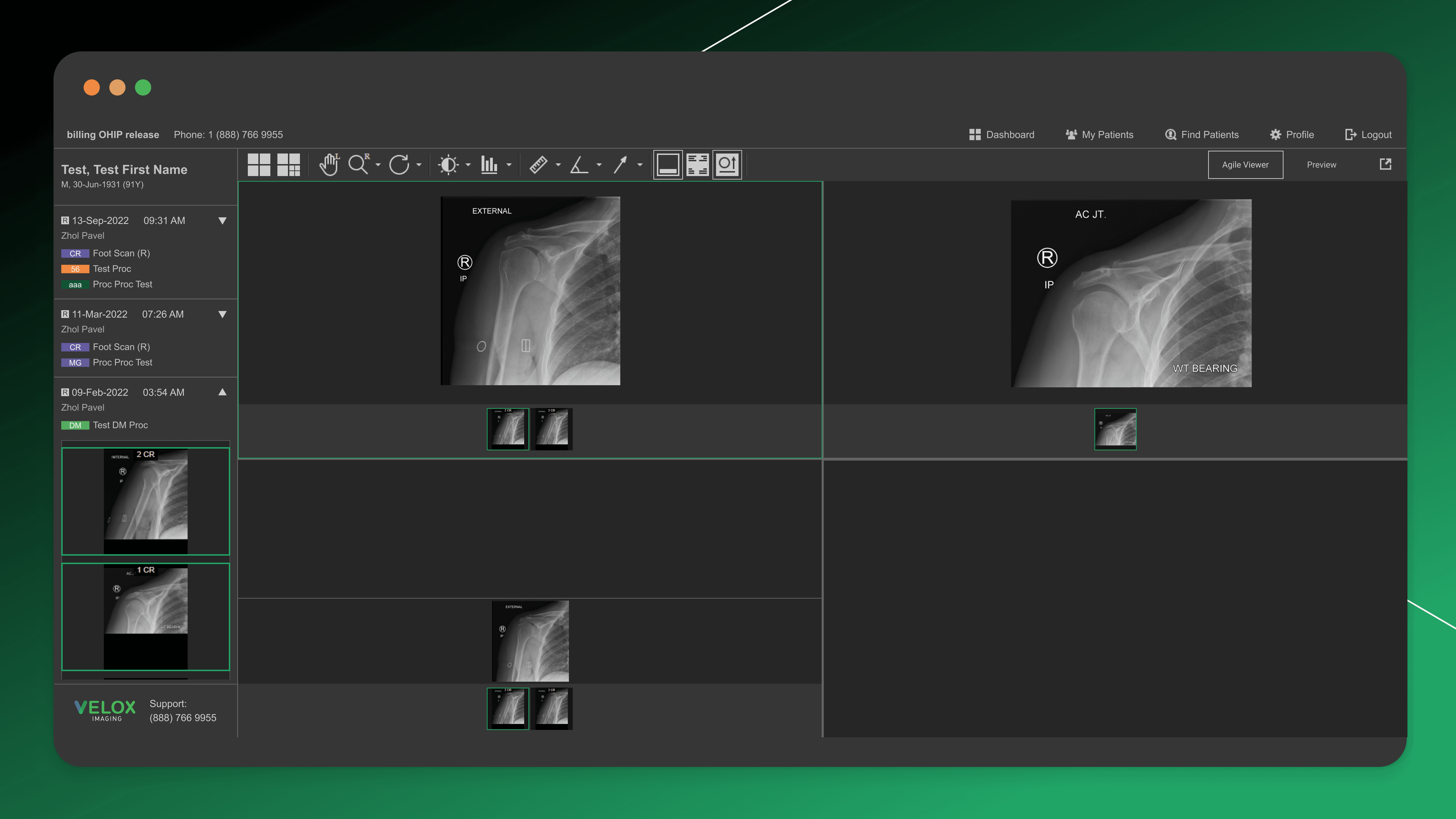
The goal was to design a lightweight web-based version of the Radiology Viewer that would allow doctors to review imaging studies directly in the browser. The solution needed to preserve the most essential diagnostic tools — such as zoom, pan, measurements, and multi-plane viewing — while remaining fast and easy to use.
It was also important to connect the viewer with the physician portal, so users could seamlessly access procedures, appointments, and attached imaging studies in one workflow.
My role:
I designed the interface of the web viewer, focusing on translating core desktop functionality into a simplified browser experience. I worked on the toolbar structure, tool prioritization, and layout of studies and image series, ensuring that the most frequently used features remained accessible.
Research:
To define the feature set for the lightweight viewer, I conducted short interviews with doctors and clinic staff to understand which tools they rely on most frequently in daily practice. This feedback helped prioritize core diagnostic actions and remove unnecessary complexity for the web version.
Result:
The lightweight web viewer reduced dependency on desktop installation and enabled faster access to imaging studies directly through the physician portal. The resulting experience supported key diagnostic workflows, improved accessibility across devices, and provided a more seamless connection between patient visits, procedures, and associated medical images.
Feature: Desktop Radiology Viewer Tools & Reporting
Problem:
Radiologists rely on desktop diagnostic viewers for advanced image analysis and reporting. However, existing workflows often required navigating complex toolsets, switching between viewing and reporting contexts, and spending extra time on manual documentation.
Clinic staff needed a faster and more integrated way to review studies, use essential diagnostic tools, and produce accurate clinical reports within the same environment.
Feature Goal:
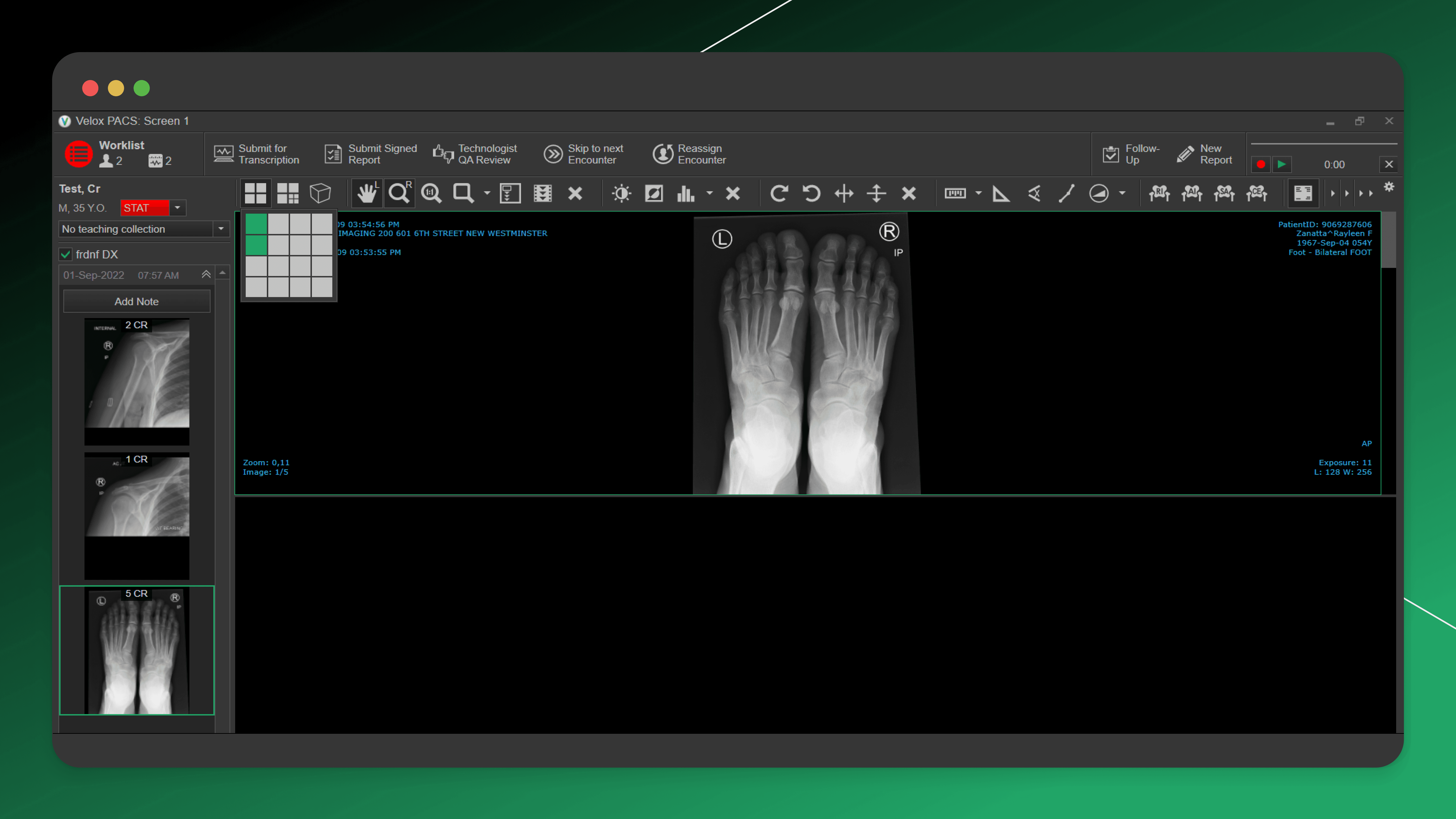
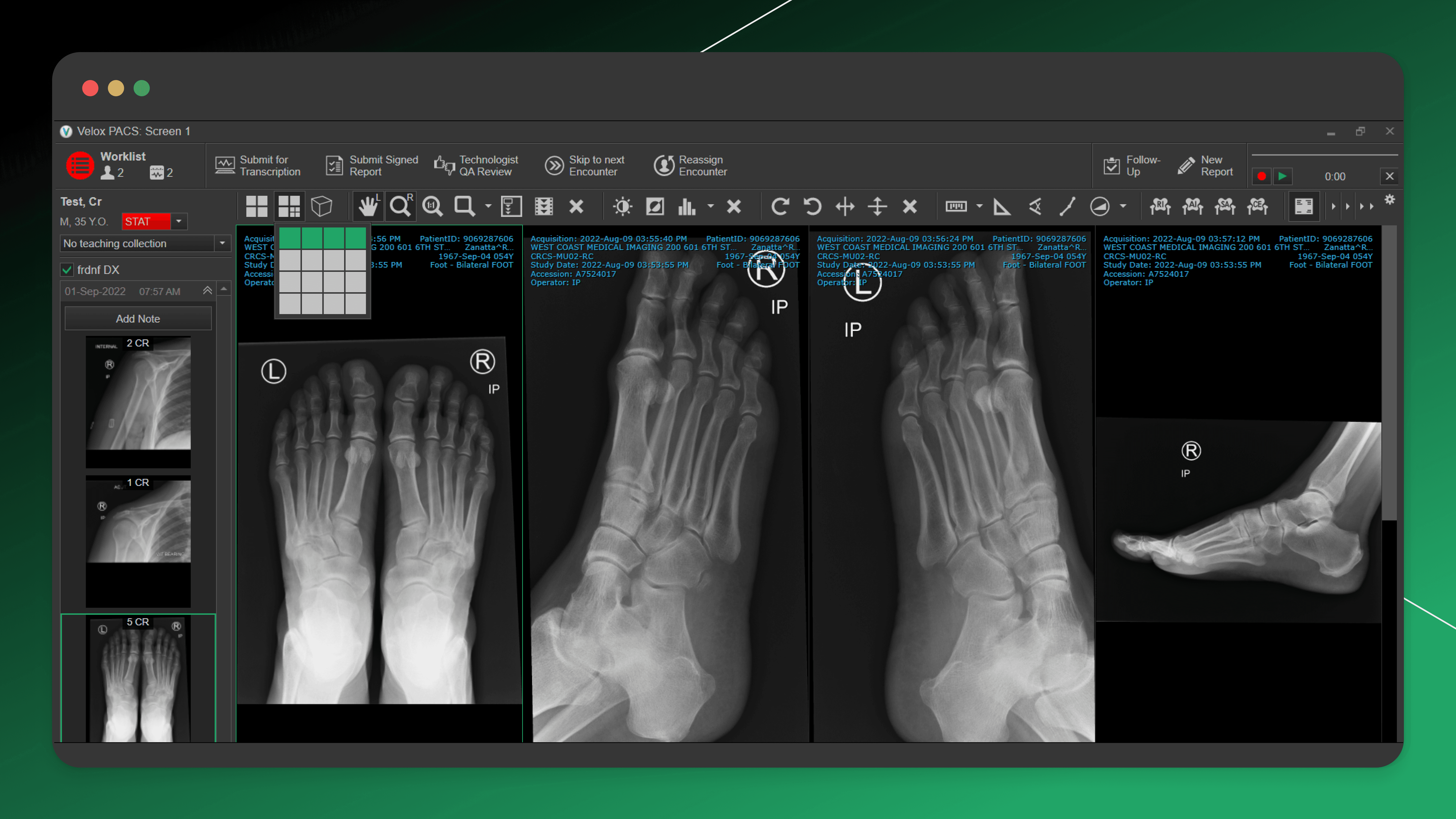
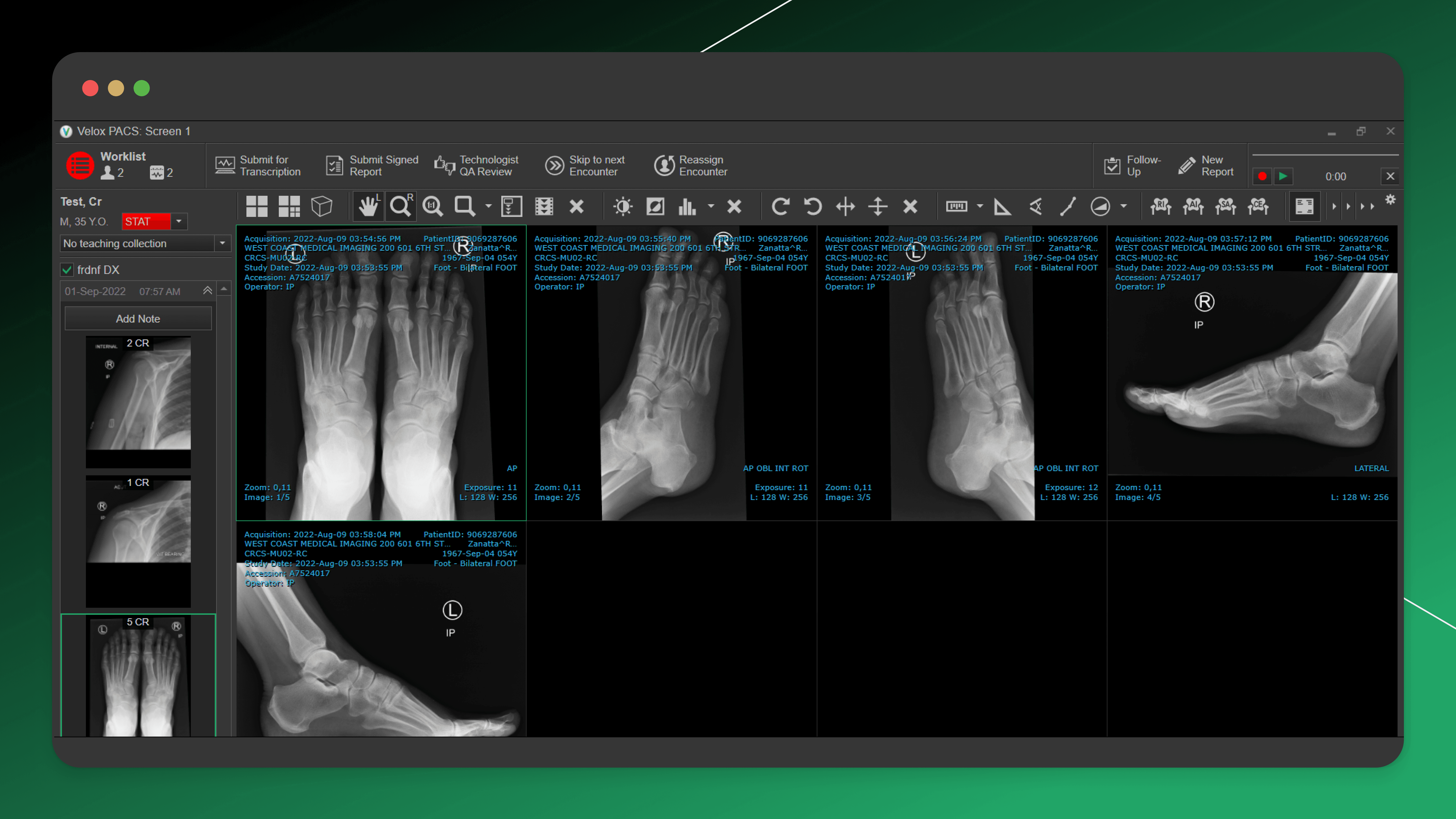
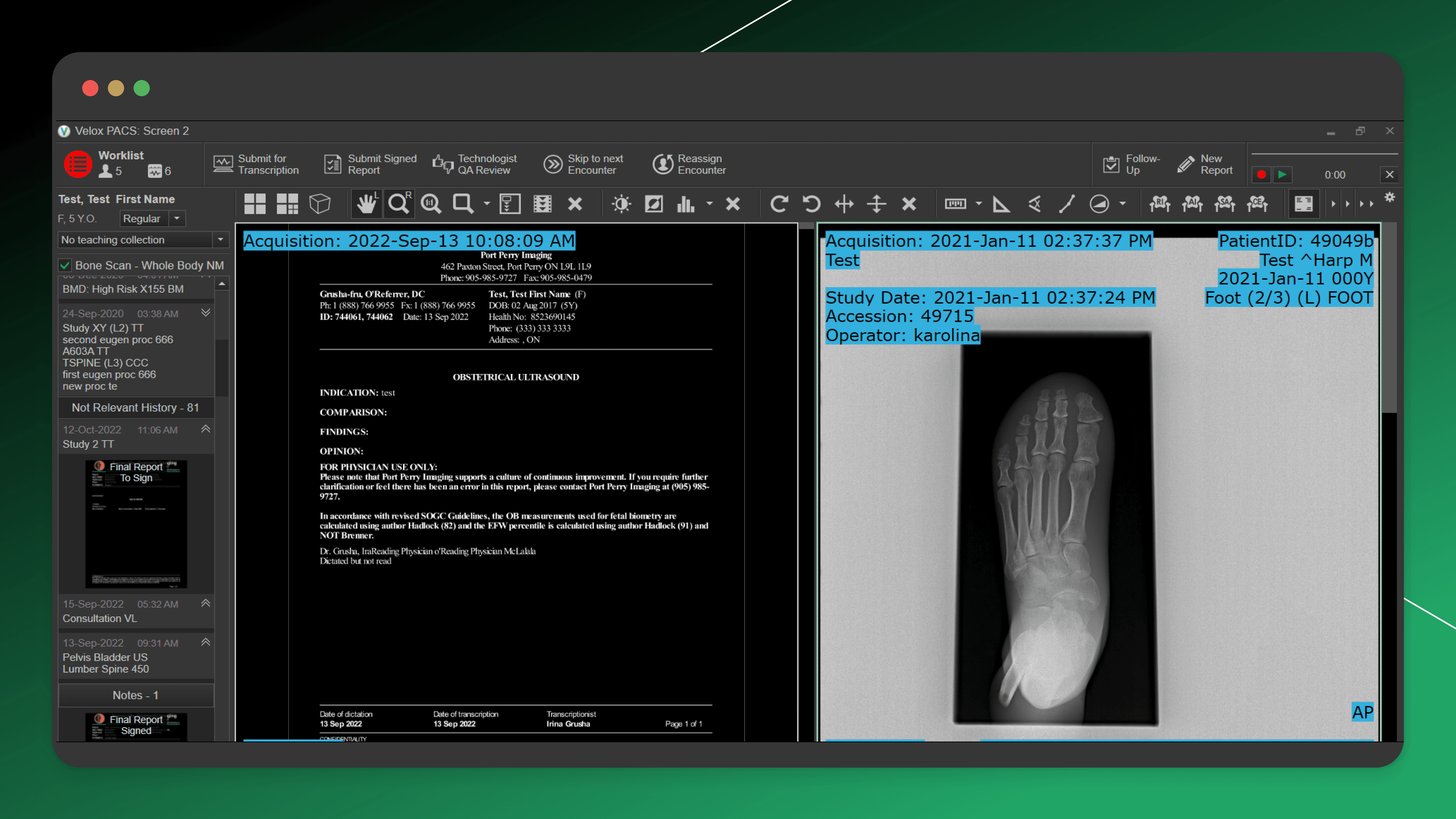
The goal was to enhance the desktop Radiology Viewer by improving its tool system and expanding reporting functionality. The solution needed to support efficient diagnostic review, provide quick access to frequently used tools, and streamline how physicians create and finalize imaging reports.
Another key objective was to introduce voice-based transcription to reduce the manual effort required for writing clinical documentation.
My role:
As a UI/UX Designer, I worked on the evolution of the desktop viewer interface, focusing on the toolbar experience, tool discoverability, and reporting workflows. I designed new diagnostic tools, improved the review process, and collaborated closely with engineers to ensure the viewer remained both powerful and intuitive.
Result:
The enhanced desktop Radiology Viewer provided a more efficient and clinically focused workspace. Radiologists gained quicker access to essential tools, improved reporting workflows, and the ability to generate documentation through voice transcription — reducing friction and saving time during high-volume diagnostic practice.
.message
This case study highlights the core process and outcomes.
I’ll be glad to dive deeper into the project during an intro call and talk through decisions, challenges, and learnings in more detail.
see also